AllDup Main Window
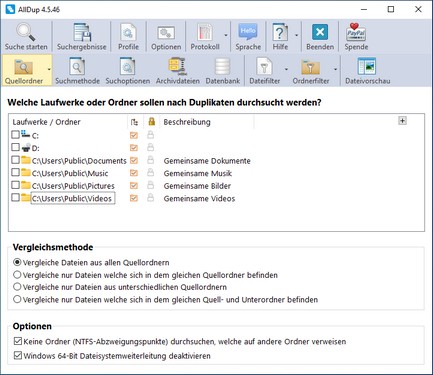
Toolbars
Upper Toolbar
- Start Search
This starts the search for duplicate files. - Search Results
All saved search results are listed here. - Profiles
All saved profiles are listed here. - Options
Here you can configure various program options. - Log
The log of the last search is displayed here. - Language
Here you can change the user interface language or start a new translation of the user interface. - Help
Here you can open the help file, the update tool, or the AllDup info window. - Exit
Here you can exit AllDup. - Donate
This opens AllDup's donation page on the internet.
Lower Toolbar
- Source Folder
This displays the list of source folders that are searched for duplicate files. - Search Method
Here the search method is defined. - Search Options
Here various search options can be defined. - Archive Files
Here you can specify whether archive files should be searched for duplicate files. - Database
Here you can specify whether checksums should be saved in a database. - File Filter
With the file filter, you can exclude certain files from the search. - Folder Filter
With the folder filter, you can exclude certain folders from the search. - File Preview
Here you can specify which plugin should be used to display a file in the file preview within the search results.